Skip to content
Baby
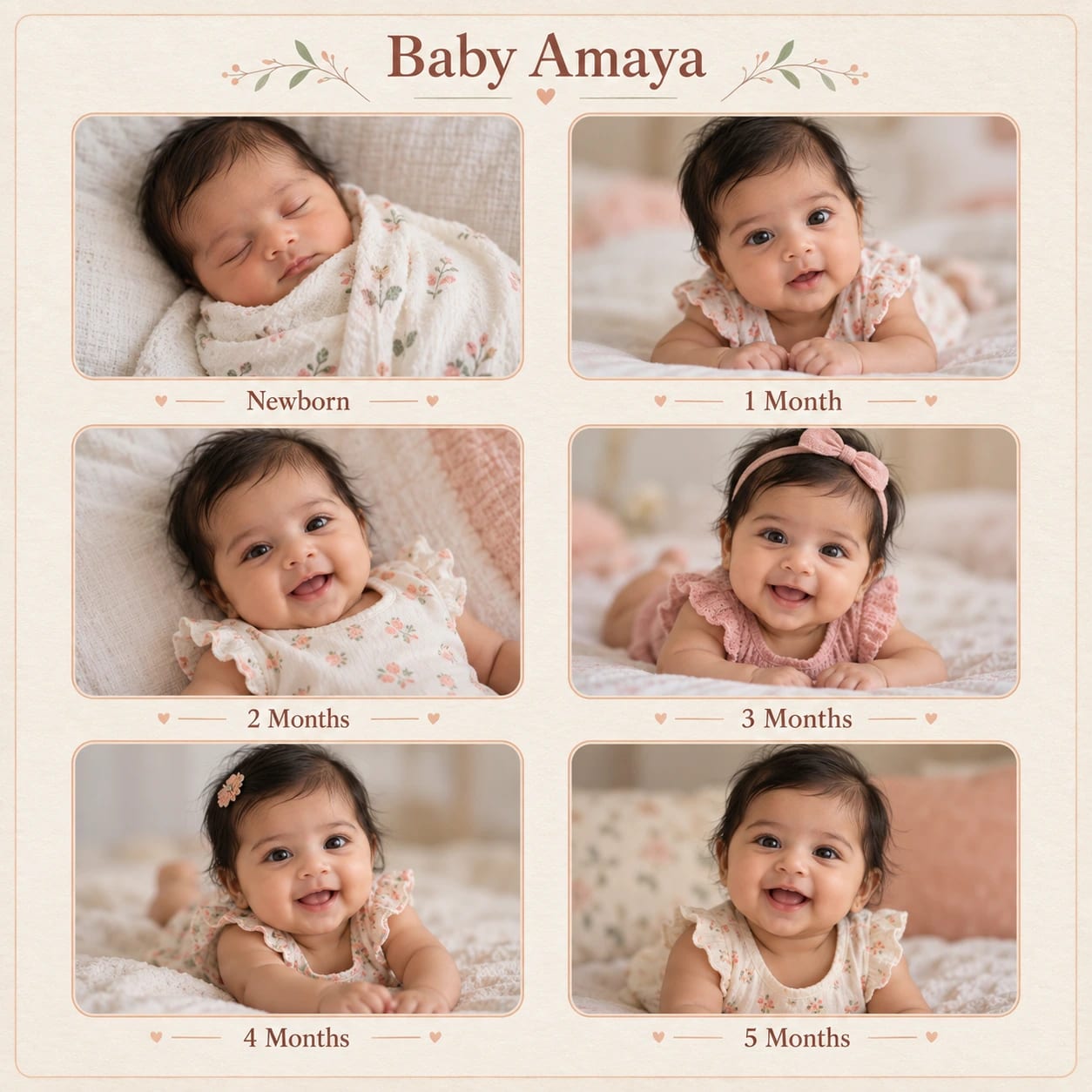
Newborn Milestone Grid Album Page – AI photo made with ChatGPTMade with ChatGPT

Newborn Milestone Grid Album Page

A clean milestone album page with six labelled baby-photo frames.

PROMPT

Use my supplied photographs as the only source images. Preserve the identity, actual age, facial proportions and distinguishing features of everyone in each source. Keep pet markings and meaningful scene details when present. Do not substitute generated people or invent missing photographs. Create a carefully composed photo-based memory design in a square 1:1 aspect ratio, following this specific concept: Newborn Milestone Grid Album Page. Composition and Pose Arrange six supplied baby photographs in a balanced two-column, three-row grid. Keep each photo's original subject and chronology, with no invented age progression. Put [BABY NAME] at the top and supplied milestone labels below each frame. Use equal gutters and ensure faces remain fully visible inside the crops. Clothing, Materials and Styling Ivory background, muted peach separators and simple rounded frame corners. Background and Lighting Flat stationery layout with gentle paper texture and clean readable captions. Source Preservation — Highest Priority Preserve each source image's people, actual ages, facial structure, expression and meaningful visual details. Do not merge separate identities, generate new childhood versions, modernise old clothing or erase distinguishing features. Keep photographs within their intended frames without stretching. For damaged regions, recover only supported detail and leave genuinely unknown information conservative. Preserve monochrome sources unless colourisation is explicitly requested. Quality and Finish Maintain clear focal separation, natural scale, correct perspective and consistent illumination throughout the image. Keep anatomy and object construction believable. Render the main subject sharply while allowing only the intended background softness. Preserve subtle detail rather than using excessive sharpening or heavy smoothing. Make the overall visual feel cohesive, carefully composed and suitable for the stated use. Avoid: changed identities, invented people, fabricated dates, altered ages, stretched photographs, facial over-smoothing, excessive sharpening, incorrect image order, covered faces and watermarks. Keep only the text and people explicitly requested in this composition.

Works withChatGPTGeminiMidjourneyFlux

How to use

  1. 1Open ChatGPT or Gemini and upload your photo.
  2. 2Paste the prompt and send it.
  3. 3Not quite right? Ask for small changes, like “warmer light”.

Get new prompts on WhatsApp

New tested prompts every week, straight to your phone.

Join (opens in a new tab)

How to use

  1. 1Open ChatGPT or Gemini and upload your photo.
  2. 2Paste the prompt and send it.
  3. 3Not quite right? Ask for small changes, like “warmer light”.

Get new prompts on WhatsApp

New tested prompts every week, straight to your phone.

Join (opens in a new tab)

About this prompt

What this prompt creates

This prompt creates a clean baby milestone album page with six labelled photo frames arranged in a simple, balanced layout. An ivory background, muted peach separators and softly rounded frame corners give the design a gentle, modern keepsake feel. Light paper texture and clear captions help the page feel polished without distracting from the baby photos. The 1:1 composition works especially well for square album pages, so review the crop before switching to another format.

Tips for the best result

  • Upload clear, high-quality baby photos with faces easy to see.

  • Supply the photos in the correct date or milestone order.

  • Label each image clearly so it is placed in the correct frame.

  • Crop around the face and important details instead of stretching photos to fit the grid.

  • Keep milestone captions short and double-check names, dates and ages before generation.

  • Check the first result carefully for photo accuracy, frame alignment, readable captions and any unwanted elements.

Variations to try

  • Try a sage-green palette with four larger milestone frames.

  • Use soft blue or warm beige accents for a different neutral look.

  • Keep six frames but reduce the separators for a more minimal page.

  • Change one instruction at a time so you can clearly compare how the palette, spacing or frame style affects the design.

Where to use it

This concept works well for baby memory books, first-year photo collections, milestone albums and family keepsakes. Keep an uncropped master version and create separate exports for digital sharing or print. Review captions, photo crops and fine layout details at the final display size, since a good thumbnail does not always guarantee that every detail is fully usable.
More like this

More in Albums →