Skip to content
Creative
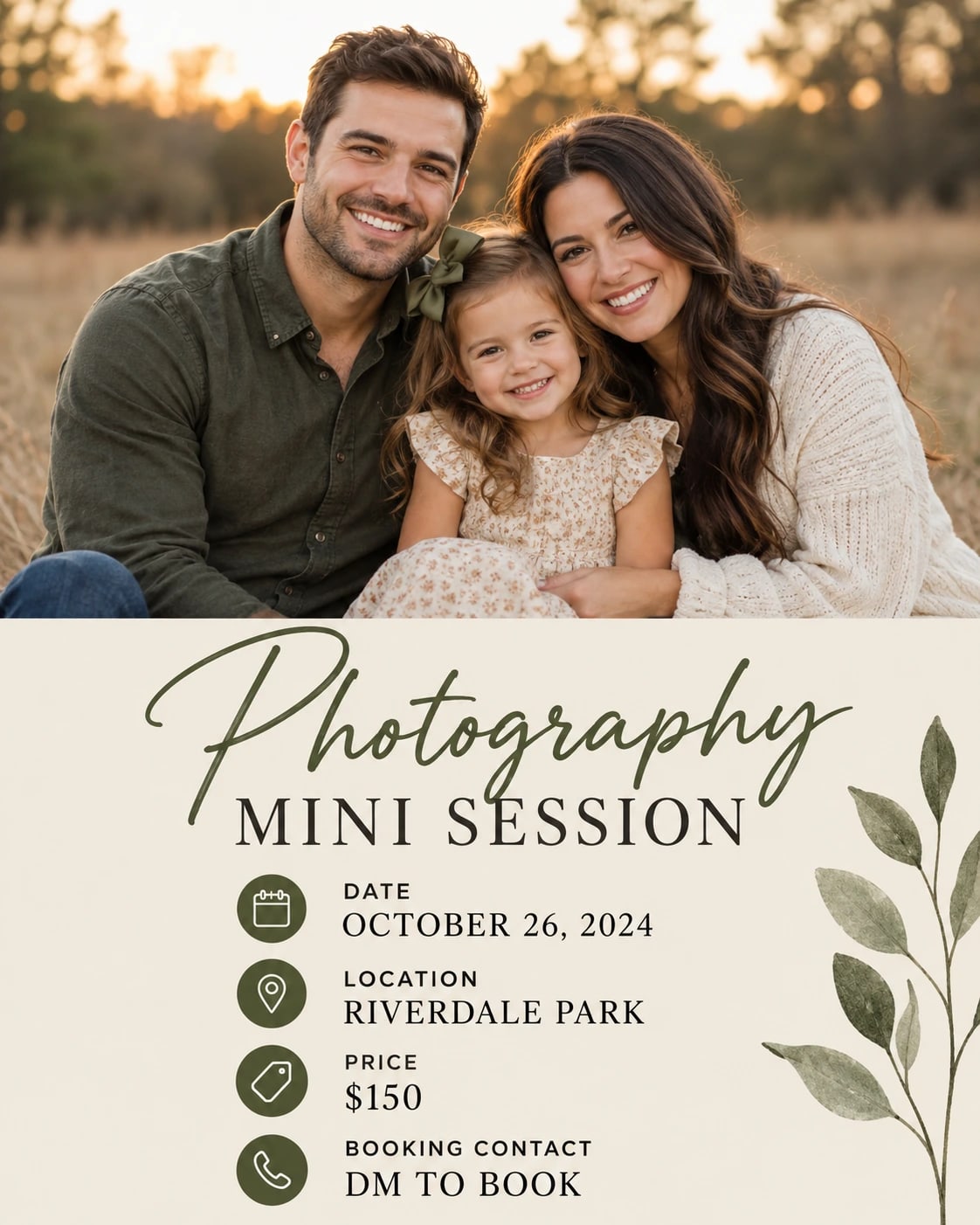
Photography Mini Session Social Ad – AI photo made with ChatGPTMade with ChatGPT

Photography Mini Session Social Ad

A clean mini-session booking post with a sample photo and date block.

PROMPT

Use my supplied product, logo or approved sample-image references wherever requested. Preserve the actual product design, logo geometry and any people within supplied photographs. Use my provided advertising copy and offer details exactly; do not invent claims, prices, testimonials or contact information. Create a polished visual design in a vertical 4:5 aspect ratio, following this specific concept: Photography Mini Session Social Ad. Composition and Pose Use the supplied sample portrait in a large rectangular frame occupying the upper half, preserving its actual subject. Beneath it, place [SESSION NAME], [DATE], [LOCATION], [PRICE] and [BOOKING CONTACT] in a clean hierarchy. Keep a small supplied studio logo in one corner without covering the photograph. Clothing, Materials and Styling Warm beige, charcoal and a single muted olive accent. Background and Lighting Flat graphic layout with crisp image cropping and a plain high-contrast information panel. Layout and Content Accuracy — Highest Priority Keep the requested object arrangement and text hierarchy clear. Use only supplied names, dates, prices, locations and wording in text-based designs. Leave caption areas blank when requested. Preserve supplied product and logo details. Keep key information inside safe margins, with adequate contrast against its background. Do not add unsupported claims, invented brands, extra decorative paragraphs, watermarks or unrelated elements. Ensure the composition remains understandable at a small preview size. Quality and Finish Maintain clear focal separation, natural scale, correct perspective and consistent illumination throughout the image. Keep anatomy and object construction believable. Render the main subject sharply while allowing only the intended background softness. Preserve subtle detail rather than using excessive sharpening or heavy smoothing. Make the overall visual feel cohesive, carefully composed and suitable for the stated use. Avoid: distorted objects, invented branding, altered labels, misspelled supplied copy, unreadable main text, cluttered composition, unrealistic reflections, floating contact shadows, watermarks and unrelated props. Keep only the text and people explicitly requested in this composition.

Works withChatGPTGemini

How to use

  1. 1Open ChatGPT or Gemini and upload your photo.
  2. 2Paste the prompt and send it.
  3. 3Not quite right? Ask for small changes, like “warmer light”.

Get new prompts on WhatsApp

New tested prompts every week, straight to your phone.

Join (opens in a new tab)

How to use

  1. 1Open ChatGPT or Gemini and upload your photo.
  2. 2Paste the prompt and send it.
  3. 3Not quite right? Ask for small changes, like “warmer light”.

Get new prompts on WhatsApp

New tested prompts every week, straight to your phone.

Join (opens in a new tab)

About this prompt

What this prompt creates

This prompt creates a clean mini-session booking post that combines a sample photograph with a clear date and booking-information panel. Warm beige, charcoal and a muted olive accent give the design a calm, professional look, while the flat layout keeps the message easy to scan. Crisp photo cropping and a high-contrast information block help the sample image and booking details work together without competing for attention. The 4:5 format is well suited to social media promotions, so review the framing carefully if you plan to adapt it for another size.

Tips for the best result

  • Use an approved, high-quality sample photo that represents the type of session being promoted.

  • Provide the final date, location, booking method and contact details before generating the design.

  • Leave out any price field you do not want displayed rather than using placeholder pricing.

  • Keep the booking panel simple, with only the information a customer needs to take the next step.

  • If the sample image includes people, crop carefully so faces and important details are not cut off.

  • Review the first result for text accuracy, photo placement, spacing and overall readability before publishing.

Variations to try

  • Try a two-photo layout while keeping the information panel anchored at the bottom.

  • Use a cream-and-sage palette for a softer seasonal look.

  • Keep one hero image but move the date into a small side block for a more editorial arrangement.

  • Change one layout element at a time so you can clearly compare how the image balance, colour palette or information hierarchy affects the final design.

Where to use it

This concept works well for photographer booking campaigns, seasonal mini sessions, studio announcements and social media promotions. Keep a high-resolution master version and create separate exports for Instagram, Facebook, websites or print. Check the booking details and text size at the final viewing size so the post remains clear, useful and easy to act on.